-
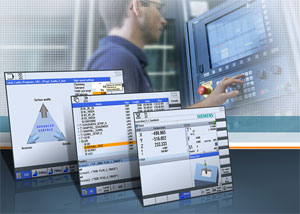 Three new functions for the Sinumerik Operate operator interface simplify the operation of turning and milling machines'
 - Time-saving program handling
- High-speed setting cycle with plain text function
- Retraction function for manual retraction of tools
Siemens has added three new functions to the Sinumerik Operate graphical user interface making it easier to operate turning and milling machines. A new program management system, plain text reading in the high-speed setting cycle, and the new retraction function support operators during standardized turning and milling operations using the Sinumerik 828D compact CNC — or in high-end applications using the modular Sinumerik 840D sl CNC.
The Sinumerik Operate program manager has been supplemented with a new program management system providing direct access to all connected drives. Users can now work simultaneously on all connected drives and their file structures. In addition,
a larger number of different file formats can be displayed than before.
In the powerful cycle package of Sinumerik Operate, the high-speed setting cycle has been simplified by plain text reading for a host of machining methods. This high-speed setting cycle supports machine tool operators in all tool- and mold-making applications by transferring the machining tolerance.
In the new version, machining methods such as roughing, pre-finishing or finishing can be output as plain text, and the orientation tolerance can also be entered. Users only have to specify a few parameters for this purpose.
The new retraction function in Sinumerik Operate now supports users when retracting a tool following an interruption caused, for example, by power failure or NC reset. In JOG mode and in the swiveled machine state with Cycle800 or Traori five-axis transformation, machining can now be continued from the point of interruption following manual recovery.